Learning how to create variables in Python is one of the first steps toward mastering this programming language. Variables let you store data temporarily so it can be used in different parts of your code. In this article, you will learn in a practical way how to create variables in Python, following best practices and exploring examples.
What are variables in Python?
Variables are like little “boxes” that store information to be used throughout the program. They let you keep temporary values, such as numbers, text, or even the results of calculations, so you can reuse them whenever needed.
For example, in the code below:
name = "Alice"
age = 30
height = 1.65 - name is a variable that stores text.
- age holds an integer.
- height contains a number with decimal places.
Python automatically detects the type of data assigned to a variable, eliminating the need for complex declarations like in other languages.
How do you create variables in Python?
Creating variables in Python is simple. Just assign a value using the assignment operator (=). Here is an example:
city = "São Paulo"
temperature = 28.5
rained_today = False
Here, you define three variables:
- city contains a string, which is a sequence of characters.
- temperature holds a decimal number, also called a floating-point number.
- rained_today is a boolean variable, which can be True or False.
Rules for creating variables in Python
Python has a few rules for naming variables:
- The name must start with a letter or an underscore (_), never with a number.
- Avoid special characters such as @, #, or !.
- Do not use Python reserved words, such as if, for, or def.
- Use descriptive names to make the code easier to understand, so avoid abbreviations or random letters.
Example:
# Correct
account_balance = 500

# Incorrect
1balance = 500  # Starts with a number
Changing variable values
In Python, you can update a variable’s value at any time. Here is how it works:
message = "Welcome!"
print(message)  # Output: Welcome!

message = "Learning how to create variables in Python."
print(message)  # Output: Learning how to create variables in Python.
The code above shows how a variable can be reused with a new value.
Variable data types
When you learn how to create variables in Python, it is essential to understand the main data types they can store:
- String: Stores text, such as “Python is amazing”.
- Integer (int): Whole numbers, such as 42.
- Float: Decimal numbers, such as 3.14.
- Boolean: True (True) or false (False) values.
Practical example:
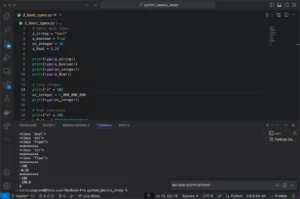
# Variable types in Python
product_name = "Notebook"  # String
quantity = 10  # Integer
price = 15.90  # Float
in_stock = True  # Boolean
Best practices for creating variables in Python
To write clean, efficient code, follow these best practices:
- Use snake_case. Variable names should be written in lowercase letters separated by underscores (_).
- Choose descriptive names. Replace generic names, such as x or y, with something more meaningful, such as total_price.
- Comment your code when necessary. Explaining the purpose of variables can help other programmers (or your future self) understand the code later. To do that, just type # followed by the explanation.
Example:
# Calculate the final price of a product including tax
base_price = 50  # Initial price
tax_rate = 0.1  # 10% rate
final_price = base_price + (base_price * tax_rate)
print(final_price)  # Output: 55
Hands-on
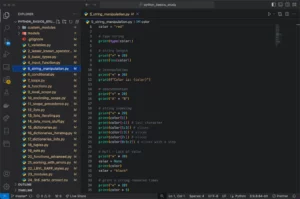
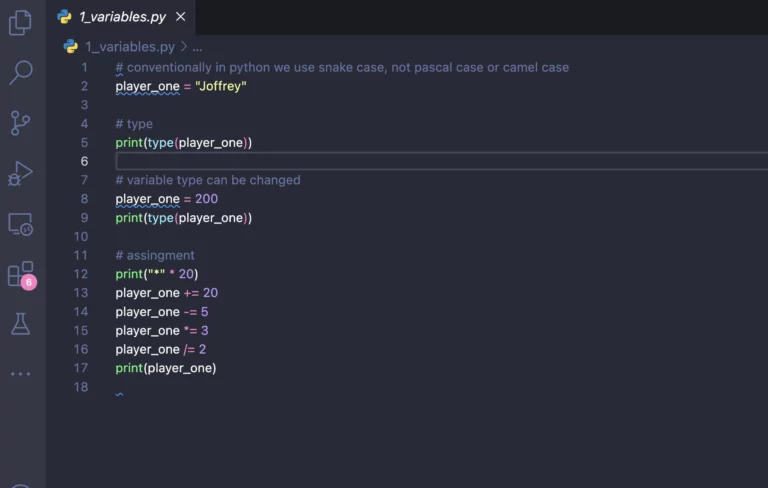
Now that you know how to create variables and have your development environment set up with Visual Studio Code, look at the result of the code below:
# By convention, Python uses snake_case, not PascalCase or camelCase
player_one = "Joffrey"

# Check the type
print(type(player_one))

# In Python, a variable's type can change
player_one = 200
print(type(player_one))

# Assigning values
print("*" * 20)
player_one += 20  # Adds 20 to the current value
player_one -= 5   # Subtracts 5 from the current value
player_one *= 3   # Multiplies the value by 3
player_one /= 2   # Divides the value by 2
print(player_one)
Conclusion
Now you know how to create variables in Python and apply best practices when defining their names and values. This is one of the first steps toward writing efficient, well-organized code.
Continue your journey with the next lesson, where you will learn about Python’s main data types and how variables can change between them as the code runs. Keep following our course and, if you enjoyed this content, share it with your friends!
Watch the previous lesson.
See the final code on my GitHub.
Read more in the official documentation.