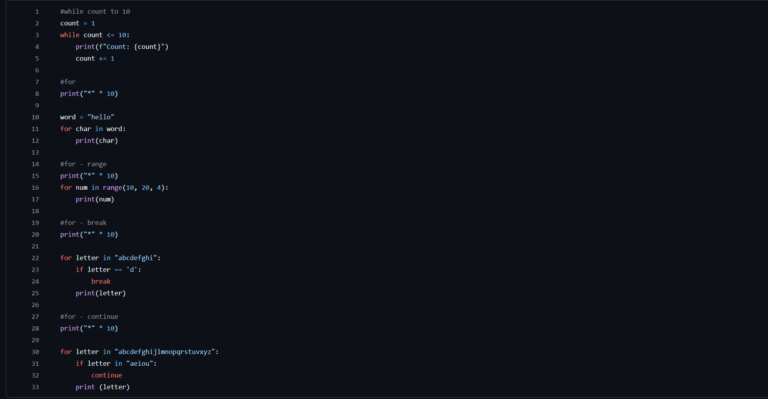
Loops in Python are one of the most fundamental concepts in any programming language. They let you run blocks of code repeatedly, making development more efficient and organized. In Python, there are two main types of loops: for and while. These loops help you iterate over sequences, process large volumes of data, and automate repetitive tasks.
The for loop in Python
The for loop is used when we know the exact number of iterations we want to perform. It goes through the elements of a sequence, such as lists, tuples, strings, and even custom iterable objects.
Basic for syntax
for element in sequence:
    # Code to run on each iteration
Practical example
fruits = ["apple", "banana", "cherry"]
for fruit in fruits:
    print(f"I like {fruit}")
This code prints:
I like apple
I like banana
I like cherry
The for loop can also be used with the range() function, which generates a sequence of numbers:
for i in range(5):
    print(f"Iteration number {i}")
This prints the numbers 0 to 4, because range(5) generates [0, 1, 2, 3, 4].
Another common use of for among loops in Python is iterating over dictionaries:
data = {"name": "Alice", "age": 25, "city": "São Paulo"}
for key, value in data.items():
    print(f"{key}: {value}")
For more details, see the official documentation on the for loop in Python.
The while loop in Python
Unlike for, while is used when we don’t know in advance how many iterations will be needed. This type of loop keeps running the code block as long as the specified condition is true.
Basic while syntax
while condition:
    # Code to run while the condition is true
Practical example
counter = 0
while counter < 5:
    print(f"Counter: {counter}")
    counter += 1
This code prints:
Counter: 0
Counter: 1
Counter: 2
Counter: 3
Counter: 4
Nested Loops
Nested loops happen when one loop is inside another. They are useful for working with matrices, tables, and other complex structures.
Nested Loop Example
for i in range(3):
    for j in range(3):
        print(f"i: {i}, j: {j}")
This code prints every possible combination of i and j in the range 0 to 2.
For more details about nested loops and best practices, see the documentation on the while loop in Python.
Tips for Optimizing Loops in Python
Avoid unnecessary loops
Whenever possible, use Python’s built-in functions such as map(), filter(), and list comprehensions to optimize your code.
Use List Comprehensions
Instead of:
numbers = []
for i in range(10):
    numbers.append(i**2)
Prefer:
numbers = [i**2 for i in range(10)]Prefer iterators over large lists
Using iterators and generators can save memory when dealing with large volumes of data.
def generate_numbers():
    for i in range(10):
        yield i**2
Avoid nested loops when possible
If performance is a concern, try refactoring your code to reduce loops inside loops.
Conclusion
Loops in Python are essential for any programmer. Both for and while have their use cases and, combined with break, continue, nested loops, and optimization techniques, they give you fine-grained control over the flow of execution. Now that you have mastered this concept, try using it in your projects and see how much easier development becomes!